Why Ecommerce Teams Need a Unified AI Image Workflow (Not Five Different Apps)
Scattered desktop plugins and single-purpose tools create export churn, inconsistent lighting, and slow launches. Here's why background removal, upscaling, and enhancement belong in one cloud workflow.
Scattered desktop plugins and single-purpose tools create export churn, inconsistent lighting, and slow launches. Here's why background removal, upscaling, and enhancement belong in one cloud workflow.
The hardest part of ecommerce creative is rarely taste. It is operational friction: moving the same asset through multiple tools, re-exporting, renaming files, and fighting subtle inconsistencies between listings.
When sellers bounce between apps—cut out the background here, upscale there, tweak exposure somewhere else—they lose time on mechanics that never appear on a roadmap.
The hidden cost of “tool hopping”
Every handoff introduces failure modes:
- Format and color surprises — PNG vs. JPG, embedded profiles, and compression settings can shift how colors read on marketplaces.
- Duplicate work — You fix edges twice because the upscaler ran before the cutout (or the opposite).
- Slow reviews — Teams debate versions that differ only by export settings, not creative intent.
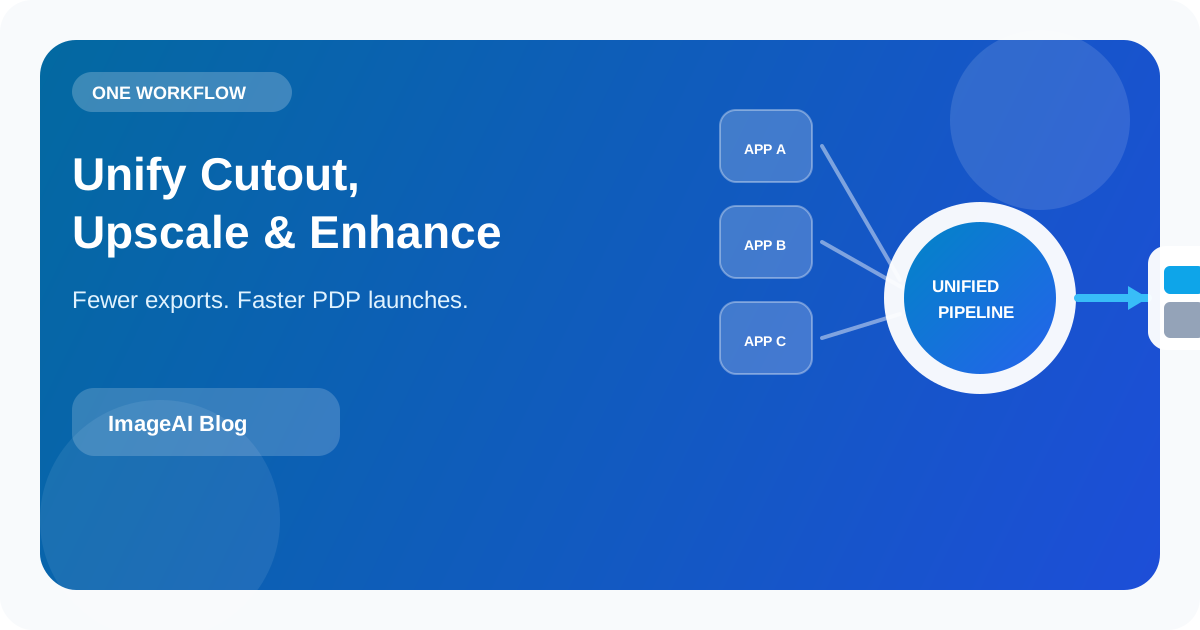
AI image platforms matter because they collapse repeatable steps into a predictable pipeline: high-precision background removal, resolution scaling, and smart enhancement are all variations of “make this pixel-level decision at scale.”
What a unified workflow actually buys you
Faster path from capture to shelf
A phone photo can become a usable PDP hero when the boring steps are automated: isolate the subject, lift resolution for zoom viewers, then normalize clarity so the SKU reads at thumbnail size.
That sequence is teachable. Junior teammates can execute it the same way every Monday.
Consistent visual standards
Brand guidelines are not only fonts and hex codes. They are also minimum perceived sharpness, acceptable shadow depth, and how aggressively colors are pushed.
When enhancement happens in one environment with shared defaults, you reduce “this listing looks like a different brand” drift.
Cloud-first collaboration
Browser-based processing avoids installer/version mismatches and makes external reviews simpler: share a link, approve a look, move on.
For global teams, that beats emailing PSDs across time zones.
What to verify before you commit
Price per export is only one line item. Strong platforms also make these expectations explicit:
- Throughput — Will batches finish at predictable speeds during launch weeks?
- Data handling — Are uploads retained after processing? Used for training? Stated clearly in plain language?
- Credits that match reality — Transparent per-action usage helps finance models stay honest.
Bottom line
A unified AI workspace is not about flashy filters. It is about reclaiming hours for merchandising, copy, and distribution—the work that actually moves conversion—instead of getting stuck on export attempt number nine.
相關文章
繼續閱讀更多 ImageAI 團隊整理的實戰內容。
How to Prepare Product Images for Multi-Channel Selling: Amazon, Shopify, TikTok Shop, and Beyond
Each sales channel has different image rules, but reshooting for every platform is not the answer. Learn how to build a single-source image pipeline that exports marketplace-ready assets for every channel from one set of originals.
AI Color Correction for Product Photos: How to Get Accurate, Consistent Colors Across Your Catalog
Product returns spike when on-screen colors mislead buyers. Learn how AI color correction works, when to use it, and how to maintain color accuracy across thousands of SKUs without manual retouching.
Choosing a Cloud AI Photo Editor: Three Checks Beyond Price
Free tiers and cheap credits are table stakes. Before you ship commercial assets to the cloud, validate privacy boundaries, realistic quality limits, and whether the tool matches your weekly workflows.
上一頁
AI Color Correction for Product Photos: How to Get Accurate, Consistent Colors Across Your Catalog
Product returns spike when on-screen colors mislead buyers. Learn how AI color correction works, when to use it, and how to maintain color accuracy across thousands of SKUs without manual retouching.
下一頁
How to Create a Clean White-Background Product Photo in Minutes Using AI
A practical, repeatable pipeline: shoot once, remove the background, upscale when needed, and enhance for ecommerce—not hype.