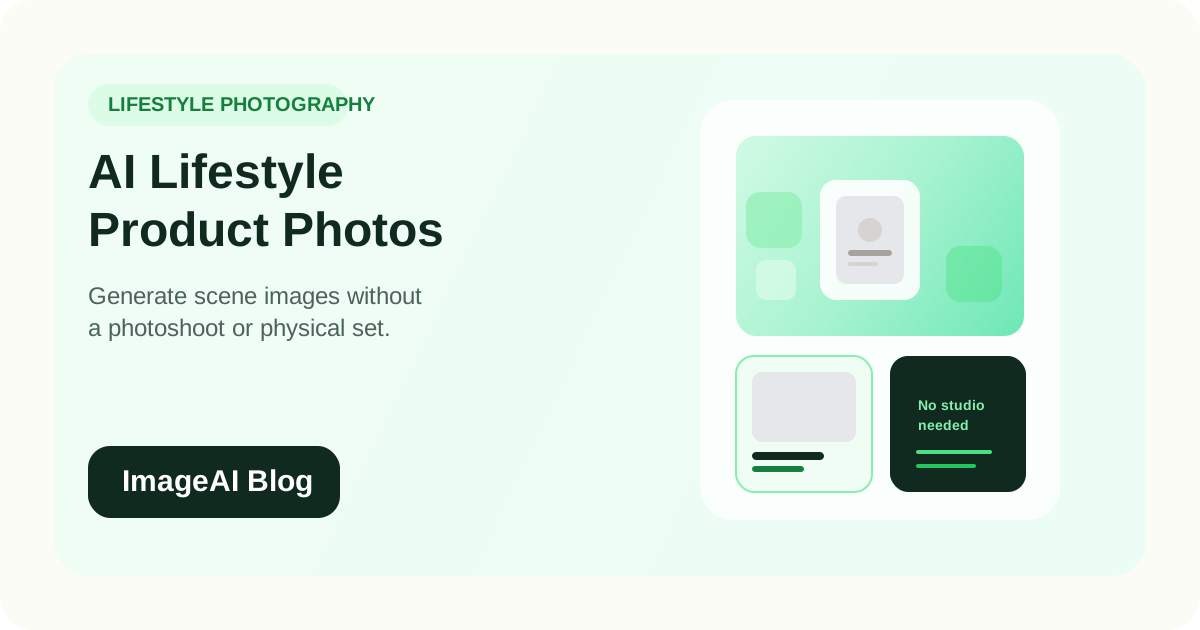
AI Lifestyle Product Photography: How to Generate Scene Images Without a Photoshoot
Learn how to create lifestyle product photos with AI-generated backgrounds and scenes. Skip the photoshoot and produce social-ready, editorial-style e-commerce images from a single product cutout.
Learn how to create lifestyle product photos with AI-generated backgrounds and scenes. Skip the photoshoot and produce social-ready, editorial-style e-commerce images from a single product cutout.
Lifestyle product photography drives engagement in ways that clean white-background images cannot. A candle on a cozy side table, a pair of sneakers on a city sidewalk, a skincare bottle in a sunlit bathroom — these images create emotional context that makes people stop scrolling.
The problem has always been cost and logistics. Lifestyle shoots require locations, props, stylists, and time. For most e-commerce teams, that means either spending significantly on photography or skipping lifestyle images entirely.
AI scene generation changes this equation. With a single product cutout and the right tools, you can place your product in realistic, on-brand scenes without ever setting up a shoot.
What AI Lifestyle Photography Actually Means
AI lifestyle photography starts with a real product image, typically a clean cutout with the background removed. An AI model then generates a scene around the product: a kitchen counter, a gym bag interior, a marble vanity, a desk setup.
The product itself stays real and unmodified. Only the surrounding environment is generated. This preserves the authenticity of the product image while adding the visual context that lifestyle shots provide.
This is different from fully AI-generated product imagery, where the product itself is also synthetic. For e-commerce, keeping the real product image is important for accuracy and trust.
Why Lifestyle Images Matter for E-commerce
Higher engagement on social channels
Lifestyle images consistently outperform plain product photos on Instagram, TikTok, Pinterest, and Facebook. They feel native to the platform rather than like catalog shots dropped into a social feed.
Stronger emotional connection
A white-background product image answers "what does this look like?" A lifestyle image answers "what would this look like in my life?" That shift is what drives desire and reduces purchase hesitation.
Better ad performance
Advertising creative with lifestyle context typically achieves higher click-through rates and lower cost per click. The image stops the scroll, which is the hardest part of paid social.
Improved product page conversion
Product detail pages with a mix of clean catalog images and lifestyle shots tend to convert better than pages with only one type. Lifestyle images help shoppers visualize the product in context without leaving the page.
Content velocity
Brands that can produce lifestyle imagery quickly can test more visual concepts, refresh their content more often, and keep their social presence active without bottlenecks.
The AI Lifestyle Photography Workflow
Step 1: Start with a Clean Product Cutout
Everything begins with a quality product photo on a transparent background. If your product image still has its original background, remove it first.
The better the cutout, the better the final result. Clean edges, no halos, and accurate product colors all matter.
Step 2: Choose Your Scene Context
Think about where your target customer would naturally use or encounter this product. The scene should feel plausible and aspirational, not random.
Good scene choices by product category:
| Product | Scene Options |
|---|---|
| Skincare | Marble bathroom counter, vanity with soft light, spa-like shelf |
| Coffee mug | Kitchen counter, cozy desk, morning table setting |
| Running shoes | Urban sidewalk, gym entrance, park path |
| Candle | Wooden side table, reading nook, bedroom nightstand |
| Laptop bag | Airport lounge, modern office desk, coffee shop table |
| Plant pot | Bright windowsill, minimalist shelf, sunlit living room |
The scene should match your brand tone. A luxury skincare brand wants different environments than an outdoor gear company.
Step 3: Generate the Scene
AI scene generation tools take your product cutout and a scene description, then produce a composed image where the product appears naturally within the environment.
Key things to watch for:
- Lighting consistency — the lighting on the product should match the generated scene
- Perspective accuracy — the product angle should feel natural in the scene
- Scale correctness — the product should appear at a realistic size relative to the environment
- Shadow integration — natural-looking shadows help ground the product in the scene
Most modern AI tools handle these well for standard product shapes. Complex products with unusual shapes or highly reflective surfaces may need more careful review.
Step 4: Review and Refine
Check the generated image for:
- Does the product look naturally placed?
- Are the colors accurate?
- Does the scene match your brand aesthetic?
- Would this image work in your target placement (social, ads, product page)?
Generate a few variations and pick the strongest one. AI scene generation is fast enough that creating multiple options and selecting the best is more efficient than trying to perfect a single generation.
Step 5: Export for Your Channels
Lifestyle images typically work across multiple placements:
- Instagram feed — 1080 x 1350 portrait crop
- Instagram Stories / TikTok — 1080 x 1920 vertical
- Product detail page — full resolution, often 1600 x 1200 or similar
- Facebook / Pinterest ads — varies by placement, often 1200 x 628 or 1000 x 1500
- Email marketing — 600 to 800 pixels wide
One strong lifestyle image can serve five or more channels with simple cropping and resizing.
Types of AI Lifestyle Scenes
Flat Lay
A top-down arrangement of the product alongside complementary items. Useful for beauty, stationery, food, and small accessories.
AI can generate the surrounding items and surface, keeping your product as the focal point.
In-Context / In-Situ
The product placed in a realistic environment as it would actually be used. This is the most common and versatile lifestyle format.
Examples: a water bottle on a gym bench, headphones on a desk, a throw blanket on a couch.
Seasonal and Thematic
Products placed in seasonal contexts: holiday settings, summer outdoor scenes, autumn table arrangements. These are valuable for campaign-based marketing and limited-time promotions.
AI scene generation makes seasonal content significantly cheaper because you do not need a physical set for each campaign.
Editorial Style
More dramatic or artistic compositions with bold lighting, creative angles, and strong visual mood. These work well for brand storytelling, social media headers, and hero placements.
Cost and Speed Comparison
The difference between traditional and AI-generated lifestyle photography is substantial.
| Factor | Traditional Lifestyle Shoot | AI-Generated Lifestyle |
|---|---|---|
| Cost per scene | $100 – $500+ per image | $0.50 – $5 per image |
| Turnaround | Days to weeks | Minutes to hours |
| Location requirements | Yes (studio, on-location) | None |
| Props and styling | Physical props needed | AI-generated |
| Seasonal flexibility | Requires new shoot per season | Generate any season instantly |
| Iteration speed | Slow (reshoot or retouch) | Fast (regenerate variations) |
For a brand with 100 SKUs that wants 3 lifestyle images per product, the cost difference is dramatic:
- Traditional: $30,000 – $150,000+
- AI-generated: $150 – $1,500
Best Practices for Quality Results
Use high-resolution source images
AI scene generation works best when the product cutout is sharp and detailed. If your source image is small, upscale it before compositing.
Match scenes to your brand
Do not generate random scenes. Build a consistent set of 3 to 5 scene types that fit your brand and reuse them across your catalog. This creates visual consistency that builds brand recognition.
Keep the product as the clear focal point
The scene should enhance the product, not compete with it. Overly complex or cluttered scenes draw attention away from what you are selling.
Be consistent with lighting direction
If all your product photos are lit from the upper left, choose scenes with similar lighting. Mismatched lighting makes the composite feel unnatural.
Generate multiple options
AI generation is fast and inexpensive. Create 3 to 5 variations for each product and pick the most natural and compelling result.
When AI Lifestyle Photography Works Best
- Mid-range and volume product catalogs (50+ SKUs)
- Seasonal campaign imagery
- Social media content that needs frequent refreshing
- Product launches with tight timelines
- A/B testing different visual styles for ads
- Supplementing a small set of professional studio shots
When to Consider a Real Photoshoot
AI lifestyle photography is powerful, but there are situations where traditional photography still adds value:
- Flagship hero images where every detail matters
- On-model photography where fit and drape need to be realistic
- Luxury products where texture authenticity is critical to the sale
- Brand campaigns where a unique visual story justifies the investment
The smartest approach is usually a hybrid: professional shoots for your highest-value hero content, and AI-generated lifestyle images for the volume of content needed across channels and campaigns.
Common Mistakes
1. Choosing Scenes That Do Not Match the Product
A premium watch on a cheap-looking desk surface undermines the product positioning. The scene should elevate, not contradict.
2. Ignoring Product Color Accuracy
Some scene generation can shift product colors slightly due to environmental lighting. Always compare the generated image to your catalog reference.
3. Using One Scene for Every Product
Even AI-generated scenes should be varied. If every product sits on the same marble counter, the content feels repetitive and formulaic.
4. Skipping the Review Step
AI generation is fast, but not every output is ready to publish. A quick quality check for naturalness, lighting, and scale catches the outputs that need to be regenerated.
Final Thoughts
Lifestyle product photography is no longer reserved for brands with large creative budgets. AI scene generation lets any e-commerce team produce contextual, engaging product imagery at a fraction of the traditional cost and time.
The workflow is straightforward:
- Start with a clean product cutout
- Choose scenes that match your brand and audience
- Generate, review, and select the best results
- Export for every channel
For brands that have been relying entirely on white-background catalog images, adding AI-generated lifestyle shots is one of the fastest ways to improve social engagement, ad performance, and product page conversion.
Related Posts
More practical reading from the ImageAI team.
AI Color Correction for Product Photos: How to Get Accurate, Consistent Colors Across Your Catalog
Product returns spike when on-screen colors mislead buyers. Learn how AI color correction works, when to use it, and how to maintain color accuracy across thousands of SKUs without manual retouching.
AI A/B Testing for Product Images: How to Find the Visuals That Convert Best
Learn how to use AI to generate and test product image variations for e-commerce. Find the backgrounds, angles, and styles that drive more clicks and conversions.
Batch Product Image Processing with AI: How to Edit Thousands of SKUs in Minutes
Learn how to process product images in bulk with AI. Remove backgrounds, enhance, resize, and export marketplace-ready images for thousands of SKUs without manual editing.
Previous
Batch Product Image Processing with AI: How to Edit Thousands of SKUs in Minutes
Learn how to process product images in bulk with AI. Remove backgrounds, enhance, resize, and export marketplace-ready images for thousands of SKUs without manual editing.
Next
How to Optimize Product Images for Google Shopping and Visual Search in 2026
Learn how to optimize your e-commerce product images for Google Shopping, Google Images, and visual search. Cover file naming, alt text, structured data, and image quality best practices.