Amazon, Shopify, Instagram, and TikTok Image Size Guide for 2026
The practical image size guide for Amazon, Shopify, Instagram, and TikTok. Learn the right dimensions, aspect ratios, and export tips for product photos and social content.
The practical image size guide for Amazon, Shopify, Instagram, and TikTok. Learn the right dimensions, aspect ratios, and export tips for product photos and social content.
If you sell products online or publish visual content every day, image size mistakes quietly hurt your results. Product photos look soft, social posts get cropped, and oversized files slow down pages.
This guide covers the most useful image sizes for Amazon, Shopify, Instagram, and TikTok in 2026, plus the workflow we recommend when exporting images for multiple channels.
Why Image Size Matters
The right image size helps with three things:
- Better visual quality on each platform
- Faster page loading and better SEO
- Fewer manual edits for every new campaign
Many teams still resize assets one by one in design tools. That works for small workloads, but it becomes inefficient once you need product images for marketplaces, storefronts, ads, and organic social at the same time.
Recommended Image Sizes by Platform
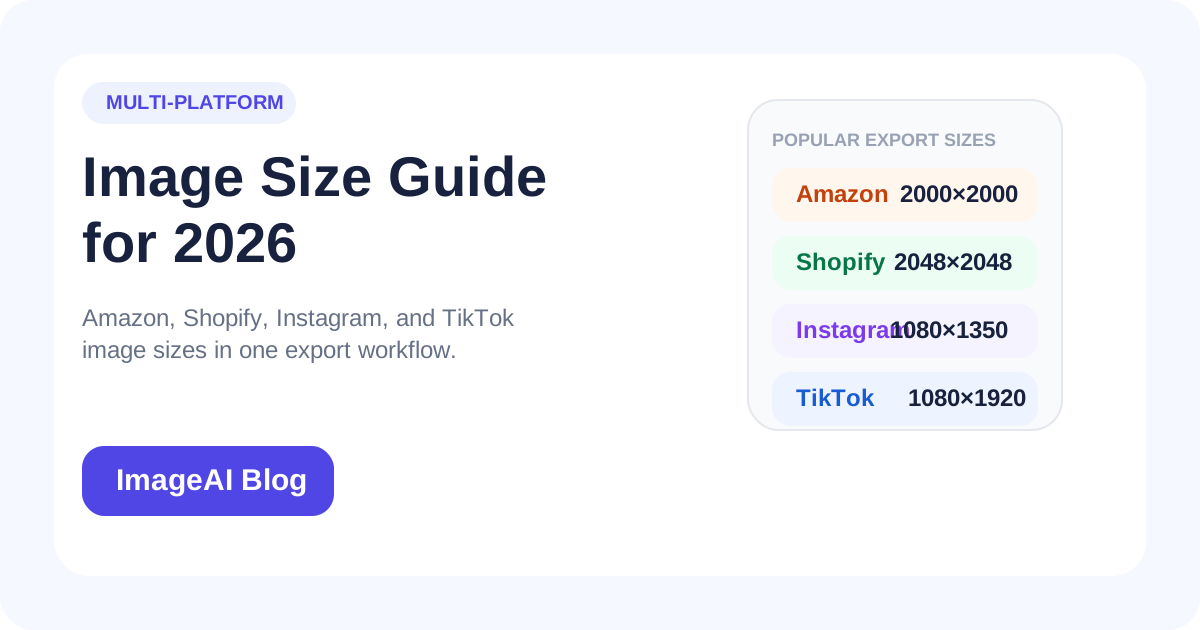
| Platform | Format | Recommended Size | Best Use |
|---|---|---|---|
| Amazon | Square | 2000 x 2000 | Main product image with zoom |
| Shopify | Square | 2048 x 2048 | Product detail pages |
| Shopify | Portrait | 1600 x 2000 | Fashion and model shots |
| Square | 1080 x 1080 | Feed posts | |
| Portrait | 1080 x 1350 | Higher feed coverage | |
| Story/Reel | 1080 x 1920 | Stories and vertical campaigns | |
| TikTok | Vertical | 1080 x 1920 | Organic video covers and promo creatives |
| TikTok | Tall Product | 1080 x 1440 | Product-focused visual posts |
These are not the only valid dimensions, but they are the safest starting point if you want predictable results across devices.
Amazon Image Size Tips
Amazon rewards clean, clear product imagery. For the main image:
- Use a white background where required
- Keep the product centered
- Export large enough for zoom, ideally 2000 pixels or more on the longest side
- Avoid text overlays on the main image
If you upload smaller images, the listing may still work, but the product often looks less premium and less detailed than competing offers.
Shopify Image Size Tips
Shopify is more flexible than Amazon, but consistency matters. A mixed product grid with random crops usually looks unprofessional.
For most stores:
- Use 2048 x 2048 for square product photography
- Use 1600 x 2000 for apparel, models, and portrait product shots
- Keep your product gallery aligned to one visual system
- Compress images before upload to avoid slow collection pages
If your store has dozens or hundreds of SKUs, standardizing export sizes will save a surprising amount of time.
Instagram Image Size Tips
Instagram still favors visuals that fill more screen space. In many cases, 1080 x 1350 performs better than square posts because it occupies more vertical space in the feed.
A practical setup looks like this:
- 1080 x 1080 for generic brand content
- 1080 x 1350 for product storytelling and lifestyle images
- 1080 x 1920 for Stories and Reels covers
If you already have product imagery prepared for Shopify, portrait crops are often the easiest bridge into Instagram content.
TikTok Image Size Tips
TikTok is vertical-first. Even when you're promoting a static image, it should feel native to a vertical environment.
Use:
- 1080 x 1920 for full-screen visuals
- 1080 x 1440 when you want a strong subject crop without forcing a full vertical composition
For e-commerce brands, TikTok creative often performs better when product images are adapted specifically for vertical space instead of simply reusing square marketplace assets.
A Simple Multi-Platform Export Workflow
Instead of exporting each asset manually, use a repeatable sequence:
- Clean the image first: remove background, enhance lighting, or upscale if needed
- Prepare one strong master image
- Export platform-specific sizes in batches
- Compress the web versions before upload
This is exactly why multi-size export matters. One source image can become an Amazon main image, a Shopify product card, an Instagram portrait post, and a TikTok vertical creative without rebuilding each file from scratch.
Common Mistakes to Avoid
1. Uploading One Size Everywhere
One square image rarely works well across every platform. Marketplace, storefront, and social placements have different visual expectations.
2. Exporting Oversized Files
Large dimensions are useful, but unnecessarily heavy files slow down websites and waste upload time.
3. Ignoring Aspect Ratio
Even if a platform technically accepts an image, poor aspect ratio choices lead to awkward crops and wasted space.
4. Starting from a Weak Source
If your original image is noisy, blurry, or underexposed, resizing alone will not fix it. Enhancement and upscaling should happen before export.
Best Image Workflow for Product Teams
If you manage product photography regularly, the most efficient sequence is:
- Remove the background if needed
- Enhance the image for cleaner lighting and sharper detail
- Export multiple platform sizes
- Compress storefront versions for faster loading
That workflow supports both SEO and conversion rate optimization because it balances visual quality with performance.
Final Thoughts
The best image size strategy is not about finding one perfect dimension. It is about building a repeatable system for every channel you use.
For most brands in 2026, that means:
- Amazon-ready product photos
- Consistent Shopify visuals
- Instagram-friendly feed sizes
- TikTok-native vertical assets
If you already process product images in ImageAI, this is also one of the easiest SEO-adjacent wins: better images improve page quality, user experience, and publishing speed at the same time.
Related Posts
More practical reading from the ImageAI team.
How to Write SEO-Friendly Alt Text for Product Images (and When to Automate It)
Learn how to write effective alt text for e-commerce product images that improves SEO, accessibility, and AI search visibility. Plus, when and how to automate alt text at scale.
How to Optimize Product Images for Google Shopping and Visual Search in 2026
Learn how to optimize your e-commerce product images for Google Shopping, Google Images, and visual search. Cover file naming, alt text, structured data, and image quality best practices.
PNG vs WebP for E-commerce and SEO: Which Image Format Should You Use?
PNG vs WebP for e-commerce and SEO: learn when to use each format, how they affect page speed, and which one works best for transparent product images and web performance.
Previous
AI Virtual Try-On for Fashion Ecommerce: Examples, Workflow & Tools
A hands-on guide to AI virtual try-on for fashion ecommerce. Real workflow with model and garment images, common failure cases, when to use it instead of a photoshoot, and the best tools to get started.
Next
Product Photo Background Remover for Ecommerce: White Background, Transparent PNG & Batch
The fastest way to turn raw product photos into Amazon, Shopify and Etsy-ready images. Get pure white backgrounds, transparent PNGs and clean edges in seconds — no Photoshop required.