Batch Product Image Processing with AI: How to Edit Thousands of SKUs in Minutes
Learn how to process product images in bulk with AI. Remove backgrounds, enhance, resize, and export marketplace-ready images for thousands of SKUs without manual editing.
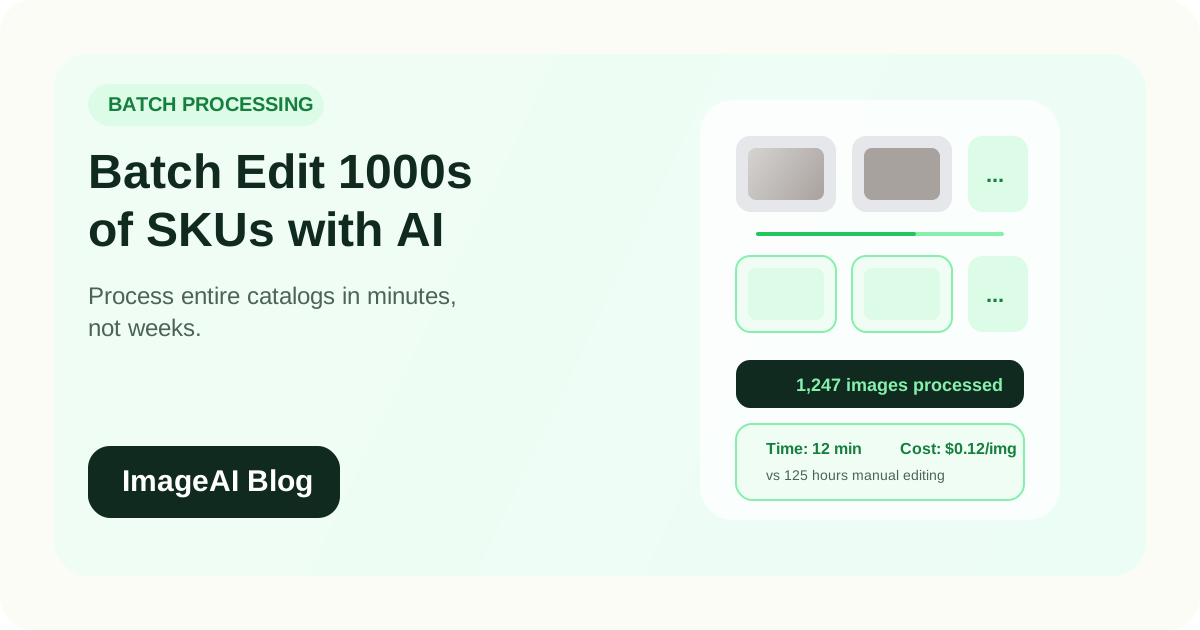
Learn how to process product images in bulk with AI. Remove backgrounds, enhance, resize, and export marketplace-ready images for thousands of SKUs without manual editing.
Editing product images one at a time works when you have a dozen SKUs. It stops working when you have hundreds or thousands.
For growing e-commerce brands, the bottleneck is rarely the initial photo shoot. It is everything that happens after: background removal, color correction, resizing for multiple platforms, compression, and export. Multiply that by a thousand products, and you are looking at weeks of manual work or a very large outsourcing bill.
AI-powered batch processing changes this equation entirely. What used to take a retouching team days now takes minutes, with consistent quality across every image.
What Batch Image Processing Actually Means
Batch processing is the ability to apply the same set of edits to many images at once, automatically. Instead of opening each file, making adjustments, and exporting individually, you define your settings once and let the system handle everything.
For e-commerce product images, a typical batch pipeline includes:
- Background removal across all images
- Lighting and color correction
- Resizing to platform-specific dimensions
- Format conversion (JPEG, PNG, WebP)
- Compression for web performance
- Consistent shadow or reflection effects
The key difference between batch processing and simply running the same tool repeatedly is automation. A well-built batch pipeline requires no manual intervention between the first image and the last.
Why It Matters for E-commerce
Speed
A catalog of 500 products with 3 images each is 1,500 images. At 5 minutes per image for manual editing, that is 125 hours of work. With AI batch processing, the same job can finish in under an hour.
Consistency
Manual editing introduces variation. Different editors, different sessions, and different levels of fatigue all affect output quality. Batch processing applies identical settings to every image, which means your product grid looks uniform.
Cost
Traditional outsourced retouching costs $5 to $15 per image. AI batch processing typically costs $0.05 to $0.30 per image. For a 1,000-image catalog, that is the difference between $5,000–$15,000 and $50–$300.
Time-to-Market
Faster image processing means faster product launches. Brands using automated pipelines report reducing time-to-list from weeks to under 48 hours, even for large seasonal collections.
The 5-Step Batch Processing Workflow
Step 1: Organize Your Source Images
Before processing, organize your raw photos:
- Group images by product category if different categories need different treatments
- Ensure consistent naming conventions (SKU-based naming is ideal)
- Start from the highest quality source files available
- Remove obviously unusable shots before processing
Clean input produces clean output. Spending 15 minutes organizing upfront saves hours of cleanup later.
Step 2: Define Your Processing Pipeline
Decide what operations each image needs, in what order:
- Background removal — isolate the product on a transparent background
- Enhancement — correct lighting, contrast, and color balance
- Shadow generation — add natural-looking drop shadows or reflections
- Resize — export at the correct dimensions for each target platform
- Compress — reduce file size while maintaining visual quality
- Format export — output as JPEG, PNG, or WebP as needed
The order matters. Background removal should happen before enhancement. Resizing should happen before final compression.
Step 3: Run a Test Batch
Before processing your full catalog, run a small test batch of 10 to 20 images. Check:
- Are backgrounds cleanly removed, including around difficult edges?
- Is the color correction appropriate, or is it shifting product colors?
- Are the exported dimensions and file sizes correct?
- Do the results meet your marketplace requirements?
Fixing a setting on 10 images is trivial. Fixing it on 1,000 is painful.
Step 4: Process in Controlled Chunks
For large catalogs, process in batches of 50 to 100 images rather than sending everything at once. This approach:
- Allows you to catch issues early
- Prevents system overload or timeout errors
- Makes it easier to retry if something fails
- Gives you natural checkpoints for quality review
Step 5: Review and Export
After processing:
- Spot-check 5 to 10 percent of the output for quality
- Flag any images that need manual touch-up
- Export approved images to your asset management system or directly to your platforms
- Archive source files for future reprocessing if needed
Platform-Specific Export Settings
Different marketplaces and channels have different requirements. Your batch pipeline should output multiple versions from the same source image.
| Platform | Dimensions | Format | Background | Max File Size |
|---|---|---|---|---|
| Amazon | 2000 x 2000 | JPEG | White (required) | 10 MB |
| Shopify | 2048 x 2048 | JPEG or WebP | Consistent | 20 MB |
| 1080 x 1350 | JPEG | Any | 30 MB | |
| TikTok | 1080 x 1920 | JPEG or PNG | Any | 10 MB |
| eBay | 1600 x 1600 | JPEG | White (recommended) | 12 MB |
| Etsy | 2000 x 2000 | JPEG or PNG | Any | 10 MB |
A batch pipeline that outputs all required formats in a single run eliminates the need to reprocess the same images for each channel.
What AI Handles Best in Batch
AI excels at the tasks that are most repetitive and time-consuming when done manually:
Background Removal
Modern AI can handle complex edges including hair, transparent materials, fine straps, and reflective surfaces. Accuracy has improved to the point where most product images need no manual cleanup after AI processing.
Lighting Normalization
Products photographed under different conditions can be brought to a consistent look. AI adjusts exposure, white balance, and contrast to make every image look like it was shot in the same studio.
Smart Cropping
AI can detect the product within the frame and automatically center and crop it with consistent padding. This is especially valuable when source images were shot at different distances or angles.
Format Optimization
AI compression algorithms achieve smaller file sizes at the same visual quality compared to traditional compression. This matters for page speed, which directly affects both SEO rankings and conversion rates.
When to Still Use Manual Editing
Batch processing handles the majority of catalog work, but some situations still benefit from human attention:
- Hero images for homepage features or ad campaigns
- Products with unusual shapes that confuse automated edge detection
- Color-critical items where exact color matching is essential (paint, fabric, cosmetics)
- Composite images that combine multiple products or add graphic elements
- Regulatory images that require specific label visibility or compliance markings
The most efficient approach is to batch-process everything first, then manually refine only the images that need it.
Building a Repeatable System
The real value of batch processing is not a single run. It is building a repeatable system that handles every catalog update.
Create Templates
Define processing templates for each product category:
- Apparel: background removal + shadow + enhancement + portrait crop
- Electronics: background removal + reflection + enhancement + square crop
- Beauty: background removal + enhancement + close-up detail crop
- Furniture: background removal + floor shadow + enhancement + landscape crop
Once templates exist, new products follow the same pipeline with zero setup.
Standardize Input
Document your photography standards so every new shoot produces images that process well:
- Minimum resolution requirements
- Preferred lighting setup
- Consistent background (even if it will be removed)
- Standard angles for each product type
Better input quality means better output quality and fewer images that need manual intervention.
Track Metrics
Measure your batch processing performance:
- Average processing time per image
- Percentage of images requiring manual touch-up
- Cost per processed image
- Time from photo shoot to published listing
These metrics help you identify bottlenecks and justify the investment in automation.
Common Mistakes
1. Processing Low-Quality Source Images
AI can improve a lot, but it cannot create detail that does not exist. If the source image is blurry, noisy, or tiny, the batch output will reflect that. Always start from the best quality available.
2. Skipping the Test Batch
Running your full catalog through an untested pipeline is a gamble. One wrong setting affects every image. Always test on a small sample first.
3. Ignoring Platform Requirements
A beautifully processed image that does not meet Amazon's white background requirement or Shopify's size recommendations still causes problems. Build platform compliance into your pipeline from the start.
4. Over-Automating Without Review
Batch processing should not mean zero quality control. A 5-percent spot check catches systematic issues before they affect your live listings.
5. Running Everything in a Single Batch
For very large catalogs, processing 5,000 images in one run increases the risk of failures and makes troubleshooting difficult. Chunk your batches and verify between runs.
Final Thoughts
Batch product image processing with AI is one of the most impactful operational upgrades an e-commerce team can make. It removes the manual bottleneck between photography and publishing, reduces costs by an order of magnitude, and produces more consistent results.
The workflow is straightforward:
- Organize your source images
- Define your processing pipeline
- Test on a small batch
- Process in controlled chunks
- Review and export for every platform
For brands that update their catalog regularly, this is not a one-time improvement. It is a permanent shift in how product images are produced and managed.
相关文章
继续阅读更多 ImageAI 团队整理的实战内容。
AI Color Correction for Product Photos: How to Get Accurate, Consistent Colors Across Your Catalog
Product returns spike when on-screen colors mislead buyers. Learn how AI color correction works, when to use it, and how to maintain color accuracy across thousands of SKUs without manual retouching.
AI A/B Testing for Product Images: How to Find the Visuals That Convert Best
Learn how to use AI to generate and test product image variations for e-commerce. Find the backgrounds, angles, and styles that drive more clicks and conversions.
AI Lifestyle Product Photography: How to Generate Scene Images Without a Photoshoot
Learn how to create lifestyle product photos with AI-generated backgrounds and scenes. Skip the photoshoot and produce social-ready, editorial-style e-commerce images from a single product cutout.
上一页
How to Write SEO-Friendly Alt Text for Product Images (and When to Automate It)
Learn how to write effective alt text for e-commerce product images that improves SEO, accessibility, and AI search visibility. Plus, when and how to automate alt text at scale.
下一页
AI Lifestyle Product Photography: How to Generate Scene Images Without a Photoshoot
Learn how to create lifestyle product photos with AI-generated backgrounds and scenes. Skip the photoshoot and produce social-ready, editorial-style e-commerce images from a single product cutout.