How to Write SEO-Friendly Alt Text for Product Images (and When to Automate It)
Learn how to write effective alt text for e-commerce product images that improves SEO, accessibility, and AI search visibility. Plus, when and how to automate alt text at scale.
Learn how to write effective alt text for e-commerce product images that improves SEO, accessibility, and AI search visibility. Plus, when and how to automate alt text at scale.
Alt text is one of the most underused SEO opportunities in e-commerce. It takes seconds to write, directly affects image search rankings, and is required for web accessibility. Yet the majority of product pages either skip alt text entirely or fill it with generic placeholders.
In 2026, alt text has become even more important. AI search engines like Google's AI Overviews and ChatGPT-powered shopping assistants use image descriptions to understand and recommend products. If your product images lack descriptive alt text, they are invisible to an increasingly large share of product discovery.
What Alt Text Actually Does
Alt text (the alt attribute on an <img> tag) serves three purposes:
- Accessibility — Screen readers read alt text aloud for visually impaired users. Without it, they hear nothing or the raw filename.
- SEO — Search engines use alt text to understand what an image depicts. It directly affects Google Images rankings and is used in shopping results.
- Fallback — When an image fails to load, the alt text displays in its place, giving users context about what should be there.
For e-commerce specifically, alt text also influences how products appear in Google Shopping, visual search through Google Lens, and AI-generated product recommendations.
The Anatomy of Good Product Alt Text
Good alt text is specific, natural, and descriptive. It tells someone (or a search engine) exactly what the image shows without being spammy.
Formula
[Color/Material] + [Product Name] + [Key Detail] + [Context/Angle]
Examples
| Product | Bad Alt Text | Good Alt Text |
|---|---|---|
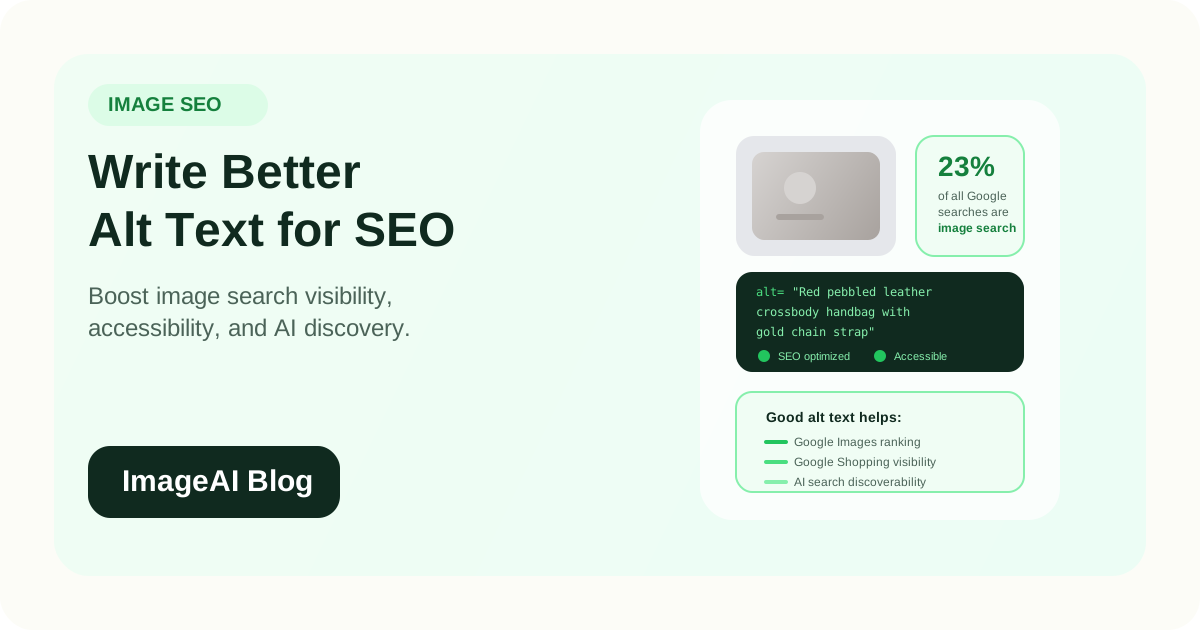
| Red leather handbag | "bag" | "Red pebbled leather crossbody handbag with gold chain strap" |
| Wireless headphones | "product image" | "Black over-ear wireless noise-cancelling headphones, side view" |
| Face moisturizer | "IMG_0234.jpg" | "Daily hydrating face moisturizer 50ml pump bottle on white background" |
| Running shoes | "shoes" | "Men's navy blue mesh running shoes with white sole, front angle" |
| Coffee maker | "photo" | "Stainless steel 12-cup drip coffee maker with glass carafe" |
Notice what makes these effective:
- They describe the actual product, not just the category
- They include attributes shoppers search for (color, material, size)
- They mention the image context when relevant (angle, background)
- They read naturally as a sentence
Length
Keep alt text between 50 and 125 characters. Short enough to be useful, long enough to be descriptive. Screen readers may cut off text that is too long, and search engines give diminishing weight to overly stuffed alt attributes.
Rules for E-commerce Alt Text
Do
- Be specific — "Women's black wool peacoat, double-breasted, knee length" is better than "coat"
- Include the product name — Match what customers actually search for
- Mention color and material — These are among the most common product search modifiers
- Describe the angle or view — "front view", "close-up of sole", "worn on model"
- Write naturally — It should sound like how you would describe the image to someone over the phone
- Make each image unique — Different angles of the same product should have different alt text
Do Not
- Start with "image of" or "photo of" — Screen readers already announce it as an image
- Keyword stuff — "buy cheap running shoes best price mens running shoes sale" is spam
- Use the same alt text for every image — This wastes the SEO opportunity on each additional angle
- Leave it empty — An empty alt attribute means the image is invisible to search engines and screen readers
- Copy the product title verbatim — The title is already on the page. Alt text should describe what this specific image shows
Alt Text for Different Image Types
Primary Product Image
Focus on the product itself with its most important attributes.
"Ceramic pour-over coffee dripper in matte white, size 02"
Lifestyle Image
Describe the product in context.
"Woman wearing oversized linen blazer in oatmeal, walking through city street"
Detail/Close-Up
Describe the specific feature being highlighted.
"Close-up of hand-stitched leather wallet edge showing brown thread detail"
Size/Scale Image
Mention the reference object or context.
"Compact travel backpack 20L shown next to 15-inch laptop for size comparison"
Color Variant
Identify the specific color shown.
"Silicone phone case in dusty rose, iPhone 15 Pro Max, showing button cutouts"
Infographic or Feature Callout
Describe the information, not just that it is a graphic.
"Diagram showing three-layer waterproof jacket construction with breathable membrane"
How Alt Text Affects SEO in 2026
Google Images
Google Images accounts for roughly 23 percent of all web searches. Product images with descriptive alt text rank better in image search results, and each image result links back to your product page.
Google Shopping
Google uses product image metadata, including alt text, to understand and match products in Shopping results. Missing or generic alt text reduces your chances of appearing for relevant queries.
AI Search and Shopping Assistants
AI models like those powering Google AI Overviews, ChatGPT shopping, and Perplexity product recommendations parse image descriptions when deciding which products to surface. Well-described images contribute to your product's "discoverability" in these increasingly important channels.
Visual Search (Google Lens)
When a user searches by pointing their camera at a product, Google matches against images it can identify. Descriptive alt text helps Google understand what your image shows, improving the likelihood of a match.
Automating Alt Text at Scale
Writing alt text for 50 products is manageable. Writing it for 5,000 is not. This is where automation becomes essential.
AI-Generated Alt Text
Modern AI vision models can analyze a product image and generate descriptive alt text automatically. The process:
- The AI examines the image to identify the product, its attributes, and the scene
- It generates a natural-language description following SEO best practices
- The text is reviewed and applied to the image
For most product categories, AI-generated alt text is accurate enough to publish directly. For specialized products or regulated industries, a human review step adds confidence.
When to Automate
- Launching a new store with hundreds of products and no existing alt text
- Migrating to a new platform where alt text did not transfer
- Bulk-updating old listings that were originally published without alt text
- Scaling a catalog faster than a content team can manually write descriptions
- Maintaining consistency across a very large number of images
When to Write Manually
- Hero images and flagship products where every word matters
- Products in regulated categories (medical, supplements, safety equipment)
- Images where the AI might misidentify the product or its attributes
- Brand-specific terminology that a general AI model may not know
Quality Control for Automated Alt Text
Even with AI automation, build in a review process:
- Spot-check 5 to 10 percent of each batch
- Look for common errors: wrong color identification, missing material descriptions, generic language
- Create a correction log to improve future generations
- Periodically audit a sample of live listings
A Practical Workflow
For e-commerce teams managing product images, here is a realistic workflow that balances quality and efficiency:
- During upload — Every new product image gets alt text before publishing. Either write it manually or generate it with AI.
- Batch fill — For existing images without alt text, run an AI generation pass across the entire catalog, then spot-check the results.
- Template approach — For products with multiple standard angles, create alt text templates: "[Product Name], [angle view]" and fill in the specifics.
- Audit quarterly — Run a crawl to identify images with missing or duplicate alt text, then fix them.
- Track impact — Monitor Google Search Console's image search performance to see how alt text improvements affect traffic.
Common Alt Text Mistakes in E-commerce
1. Using the Product SKU
alt="SKU-X7892-BLK-M" tells search engines nothing about what the image shows.
2. Stuffing Keywords
alt="best cheap wireless headphones buy online free shipping noise cancelling" reads as spam and can trigger search engine penalties.
3. Using the Same Text for Every Angle
If a product has five images, each should have unique alt text describing what that specific image shows. Five identical alt attributes waste four SEO opportunities.
4. Leaving Alt Text Blank
This is the most common issue. An empty alt attribute means the image contributes nothing to SEO or accessibility. Even a basic description is better than nothing.
5. Describing the Page Instead of the Image
alt="Our bestselling product featured on the homepage" describes the page context, not the image content. Focus on what the image shows.
Measuring the Impact
After implementing or improving alt text, track these metrics:
- Google Images impressions and clicks (Search Console > Performance > Search type: Image)
- Image search ranking positions for target product keywords
- Google Shopping feed health (Merchant Center image-related warnings)
- Accessibility audit scores (Lighthouse or WAVE tools)
- AI search visibility (whether your products are being recommended in AI-generated shopping responses)
Most teams see measurable improvements in image search traffic within 4 to 8 weeks of adding descriptive alt text across their catalog.
Final Thoughts
Alt text is a small effort with outsized returns. For e-commerce, it directly improves:
- Image search visibility (23 percent of all Google searches)
- Google Shopping eligibility and ranking
- AI search and shopping assistant discoverability
- Web accessibility compliance
- User experience when images fail to load
The best approach in 2026 is a combination: write alt text manually for your most important products, automate it with AI for scale, and audit regularly to maintain quality.
If your product images currently have empty or generic alt text, fixing this is one of the fastest SEO wins available.
Related Posts
More practical reading from the ImageAI team.
How to Optimize Product Images for Google Shopping and Visual Search in 2026
Learn how to optimize your e-commerce product images for Google Shopping, Google Images, and visual search. Cover file naming, alt text, structured data, and image quality best practices.
How to Prepare Product Images for Multi-Channel Selling: Amazon, Shopify, TikTok Shop, and Beyond
Each sales channel has different image rules, but reshooting for every platform is not the answer. Learn how to build a single-source image pipeline that exports marketplace-ready assets for every channel from one set of originals.
How to Automate Product Image Watermarks and Branding Without Slowing Down Your Pipeline
Manual watermarking does not scale. Learn how to automate logo placement, brand overlays, and consistent visual identity across product images while keeping your workflow fast and your originals intact.
Previous
AI A/B Testing for Product Images: How to Find the Visuals That Convert Best
Learn how to use AI to generate and test product image variations for e-commerce. Find the backgrounds, angles, and styles that drive more clicks and conversions.
Next
Batch Product Image Processing with AI: How to Edit Thousands of SKUs in Minutes
Learn how to process product images in bulk with AI. Remove backgrounds, enhance, resize, and export marketplace-ready images for thousands of SKUs without manual editing.